To reduce PNG size for an email signature, resize a copy to the width it will actually display before chasing an aggressive quality setting. A signature shown near 300 pixels wide does not need an 800-pixel source in every message. Keep PNG when the email workflow requires it; compare WebP only when your mail clients and recipients support it.
We tested an 800×600 transparent RGBA fixture measuring 1,617,783 bytes. With Max width set to 320, PicZip produced a 320×240 PNG of 130,815 bytes. A WebP copy at the same 320×240 dimensions measured 17,220 bytes. The test demonstrates the value of right-sizing, not a universal recommendation to use a 320-pixel signature.
Start with the display size
Find the rendered width in your signature editor or email template. If the image displays at 240 pixels, exporting 1200 pixels wastes bytes and can invite inconsistent scaling. Create a separate delivery copy; keep the full-resolution original for future edits and high-density exports.
Our fixture used a 320-pixel maximum width because it creates a clear, reproducible example. Your logo may need 200, 300, or 600 pixels depending on layout and screen-density strategy. Send test messages before standardizing the value across a team.
Step 1: Resize a copy in PicZip
Open the PNG compressor, add the original, select PNG, set Target size to 0, and enter the intended delivery width in Max width. PicZip preserves aspect ratio, so the 800×600 fixture became 320×240 rather than being stretched.
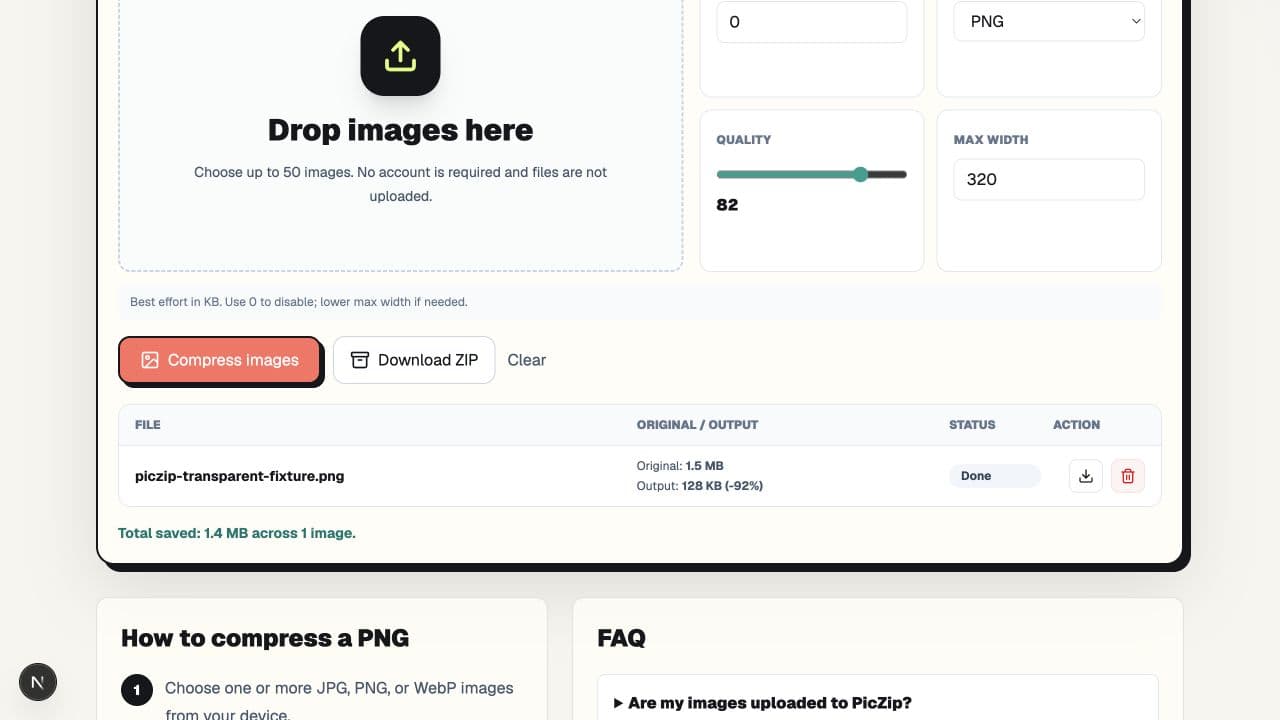
The reduction came mostly from removing pixels the displayed signature did not need. That is different from claiming lossless compression: resizing changes the pixel grid. Inspect small text and thin strokes after resizing because those details can soften first.
Step 2: Keep transparency where it matters
A transparent signature can sit cleanly on light and dark message themes, but only if the logo's edge pixels are prepared for both. Check the resized output over white, charcoal, and a saturated color. Look for white matte pixels, dark fringes, broken shadows, and text that becomes too thin.
PNG supports alpha. JPG does not. If you choose JPG, transparent areas must be replaced by a solid background, so it is unsuitable when the signature must blend with varying backgrounds. Our separate transparency test explains how we verified the alpha channel.
Step 3: Compare WebP carefully
At the same 320×240 dimensions and quality 82, the WebP output measured 17,220 bytes. That was 113,595 bytes smaller than the resized PNG. The result retained alpha, but the color channels use lossy compression and email-client support must be checked in the actual sending environment.
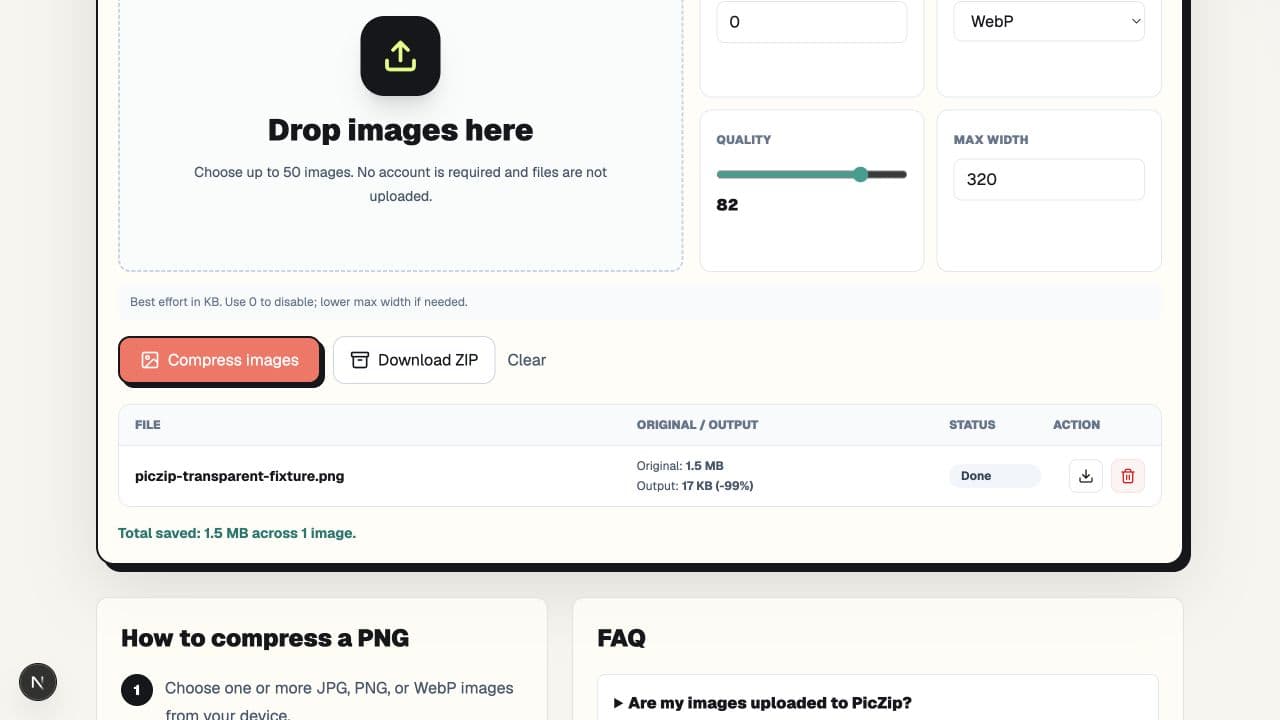
PNG remains the conservative choice when compatibility is uncertain. Do not replace a working PNG across an organization merely because one WebP test is smaller.
Test the message, not only the file
- Send the signature to accounts in the mail clients your recipients commonly use.
- Check desktop, mobile, light mode, and dark mode.
- Confirm the image is not enlarged beyond its natural dimensions.
- Check that links and alternative text still work.
- Forward and reply to the message to catch layout changes.
Email platforms may proxy, cache, or recompress remote images. PicZip controls the local file you create, not what every mail provider does after the message is sent.
Frequently asked questions
What width should an email signature image be?
Use the width required by your template rather than a universal preset. Our 320-pixel test is an example, not a standard for every signature.
Why is my signature PNG still large?
It may contain more pixels than the displayed signature needs, or it may include complex gradients and semi-transparent detail that do not compress efficiently as PNG.
Should I use PNG or WebP for an email signature?
PNG is safer when compatibility is uncertain. WebP can be much smaller and supports alpha, but test it in the mail clients relevant to your audience.
Can I set a strict KB target instead of resizing?
You can try, but PicZip's PNG encoder does not use the quality value. Matching the intended display dimensions is usually a more meaningful first step for an oversized PNG signature.
The practical answer
Make a delivery copy at the signature's actual display width, preserve the original, and test the result in real messages. Our 320-pixel PNG fell to 130,815 bytes; WebP reached 17,220 bytes but needs compatibility testing. Choose the format that survives your actual email workflow, not simply the smallest number.