To compress a PNG without losing transparency, keep PNG as the output format and inspect the result over both light and dark backgrounds. PicZip decodes and re-encodes the alpha channel locally in your browser. This preserves transparent areas, but it does not guarantee that the new PNG will be smaller than the original.
Our 800×600 RGBA fixture contained 251,243 fully transparent pixels, 115,172 partially transparent pixels, and 113,585 opaque pixels. The original measured 1,617,783 bytes. The PNG output kept all three alpha counts but measured 1,720,597 bytes, which was 102,814 bytes larger. That failed reduction is part of the answer, not a result to hide.
What transparency preservation means
PNG stores opacity in an alpha channel. A value of 0 is fully transparent, 255 is fully opaque, and values between them create soft edges, shadows, and fades. Preserving only fully transparent pixels is not enough for a logo with anti-aliased curves; the intermediate alpha values matter too.
We decoded the PicZip PNG result and counted those alpha values again. The transparent, partial, and opaque counts matched the source exactly. This verifies the tested output's alpha data, although it does not claim that every PNG compressor or every format conversion behaves the same way.
Step 1: Run a PNG-to-PNG test first
Open the PNG compressor, add the original, select PNG, and set Max width to 0 for a same-dimension test. Set Target size to 0 as well. This isolates the encoder result before a strict byte target or resize changes the experiment.
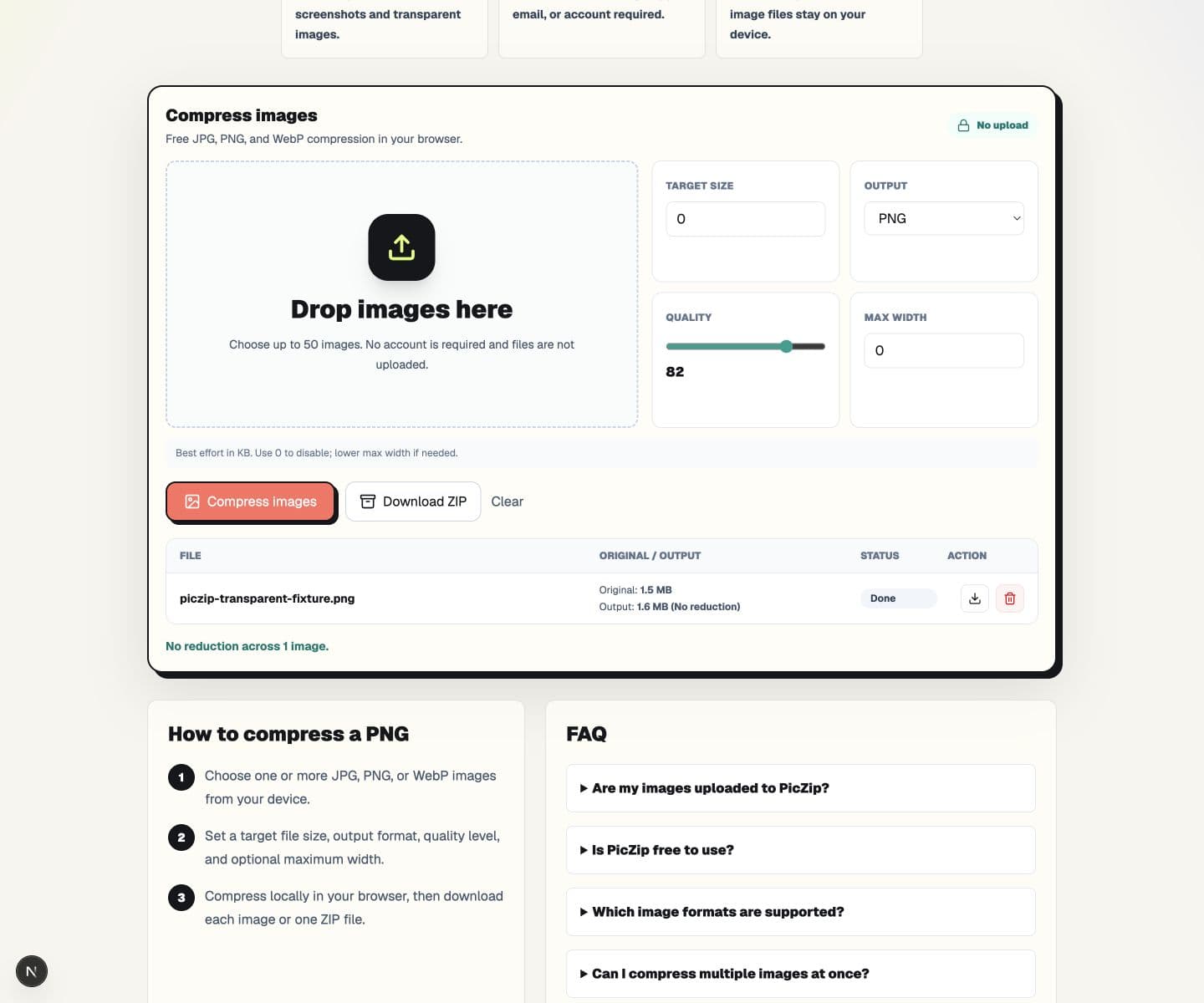
When the result is larger, keep the original. Re-encoding is not automatically optimization. The source may already use a better filter strategy, a smaller palette, or a more effective compressor than the new output.
Step 2: Inspect the edges, not only the empty area
Place the downloaded image on white, black, and a saturated color. Check curves, hair, shadows, glow effects, and antialiased text at 100% zoom. A white halo usually means the source was flattened before compression or a conversion removed useful alpha information.
Also confirm the output MIME type and extension. JPG does not support transparency. A JPG can be much smaller, but it must replace transparent pixels with a solid background, so it is not a transparent-PNG solution.
Step 3: Compare WebP when the destination accepts it
WebP supports alpha and can be much smaller for complex transparent graphics. Using the same 800×600 fixture at quality 82, PicZip produced a 96,120-byte WebP. Decoding that output returned the same counts for fully transparent, partially transparent, and opaque pixels. The color channels are lossy at this setting, so matching alpha does not mean every RGB value is identical.
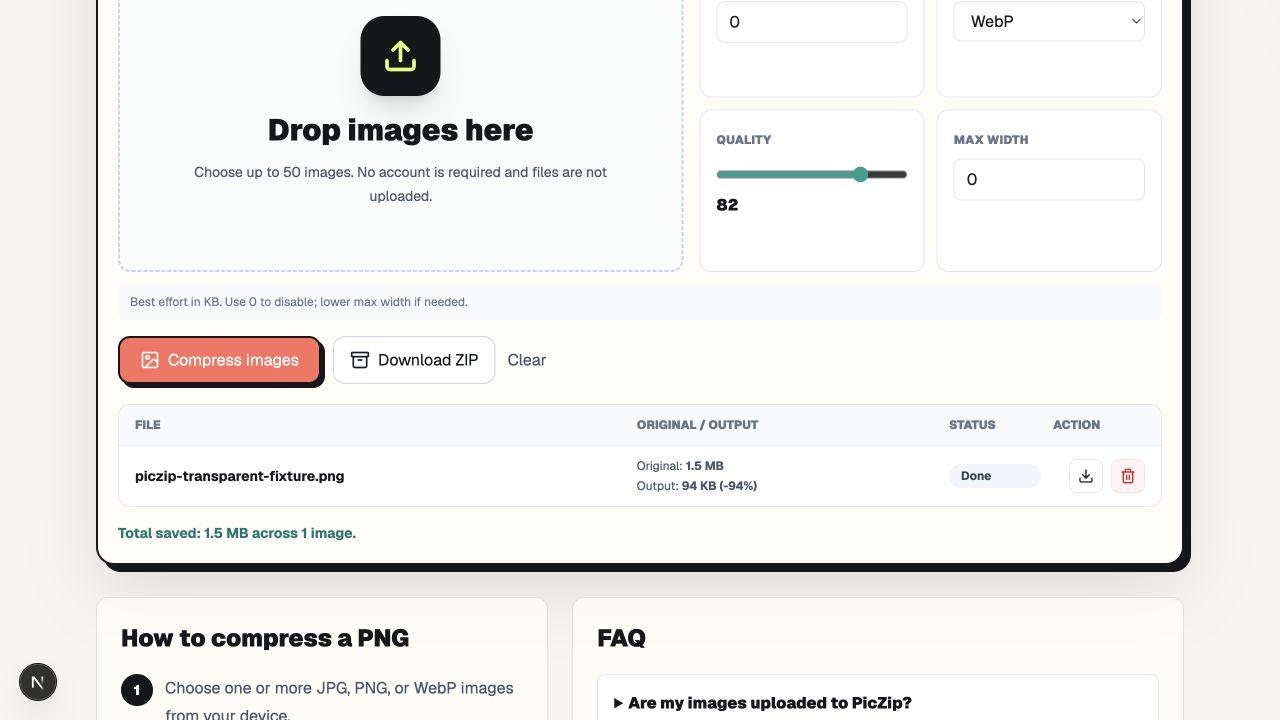
Use WebP only when the website, app, or upload form accepts it. Keep PNG for workflows that explicitly require PNG, pixel-exact colors, or software that does not support WebP.
Why a target size may not help PNG
PicZip's PNG encoder currently uses fixed 8-bit PNG encoding. The quality control affects JPG and WebP, but it is not passed into the PNG encoder. A target-size search therefore cannot make this PNG progressively smaller by lowering quality. Resizing or changing format is the meaningful next step when PNG-to-PNG output misses the limit.
This behavior is disclosed because a slider can otherwise suggest control that the PNG codec does not provide. We plan content around the product's actual output, not around a generic promise that every PNG can be reduced.
Frequently asked questions
Does PNG compression remove transparency?
Not in the tested PicZip PNG path. Fully transparent, partially transparent, and opaque pixel counts matched the source after re-encoding.
Why did my transparent PNG become larger?
The source may already be efficiently encoded. A new lossless PNG representation can use more bytes even though its dimensions and pixels are preserved.
Can WebP keep a transparent background?
Yes. The tested WebP retained all alpha categories and was much smaller, but its color data was lossy at quality 82 and the destination must support WebP.
Should I use JPG for a transparent logo?
No, unless you intentionally want a solid background. JPG has no alpha channel.
The practical answer
Keep PNG selected when PNG is required, verify alpha on contrasting backgrounds, and retain the original if the output grows. For destinations that accept WebP, compare it from the original and inspect both transparency and color detail before replacing the PNG.