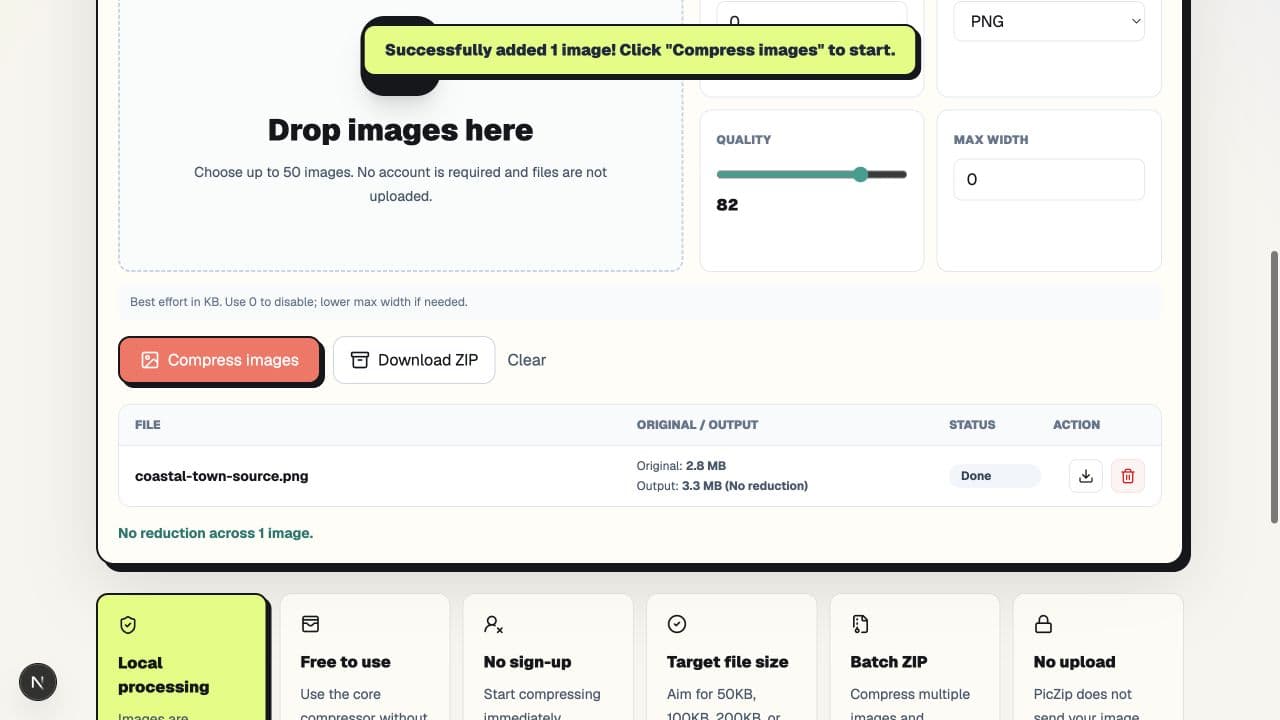
In our same-image test, WebP was smallest at 268,434 bytes, JPG followed at 287,599 bytes, and PNG was much larger at 3,449,964 bytes. That does not mean WebP always wins or PNG is a bad format. It means this detailed, photograph-like source was better suited to lossy photo encoding than lossless PNG.
The practical choice is WebP for small web delivery, JPG for broad photo compatibility, and PNG when transparency or pixel-exact hard edges matter. Compare formats using the image you actually plan to publish; the ranking can change with different content.
Our controlled format test
We used PicZip's privacy-safe coastal fixture: a 2,976,317-byte PNG at 1536×1024. It contains water, clouds, trees, roofs, and gradual color changes. For each run, Target size and Max width were both set to 0, dimensions stayed at 1536×1024, and quality started at 82. Only Output changed.
| Output | Exact size | Compared with source | Typical strength |
|---|---|---|---|
| JPG | 287,599 bytes | 90.34% smaller | Photo compatibility |
| PNG | 3,449,964 bytes | 15.91% larger | Lossless edges and alpha |
| WebP | 268,434 bytes | 90.98% smaller | Small web delivery |
WebP was 19,165 bytes smaller than JPG, a difference of about 6.66% relative to the JPG result. PNG grew by 473,647 bytes because re-encoding this detailed image losslessly was less efficient than the original PNG file. Compression can produce a larger file; format names alone do not guarantee a reduction.
Why PNG was so much larger here
PNG preserves image information without the kind of perceptual loss used by JPG and WebP. That is valuable for transparent artwork, diagrams, and screenshots with sharp text. It is expensive for a scene with fine texture and smooth color variation, where a photo codec can discard details people are less likely to notice.
Our result does not establish a fixed PNG penalty. A simple logo with a few flat colors can be smaller as PNG than as a photograph-oriented file. The test tells us what happened to this source, not what must happen to every image.
When to choose JPG
Choose JPG for photographs that need to open in older software, office systems, print workflows, or upload forms with conservative format support. It does not preserve transparency, and repeated editing and saving can accumulate visible loss.
In this test, JPG was only 19,165 bytes larger than WebP. That small difference may be worth paying when the destination explicitly requests JPG or when you do not control the recipient's software.
Use the JPG compressor when compatibility is a stated requirement rather than an assumption.
When to choose PNG
Choose PNG for transparency, interface screenshots, line art, and graphics where exact hard edges are more important than the smallest possible download. Do not convert a transparent logo to JPG unless you have intentionally added a background.
If a PNG result becomes larger, keep the original instead of downloading the new file. PicZip reports the output size so that “compression completed” is not mistaken for “the file became smaller.” The PNG compressor is useful when PNG itself is required, not when any output format is acceptable.
When to choose WebP
Choose WebP for websites and modern app delivery when a smaller photo file is useful and the consuming software supports it. WebP can also preserve transparency, though converting artwork to a lossy WebP still requires visual inspection.
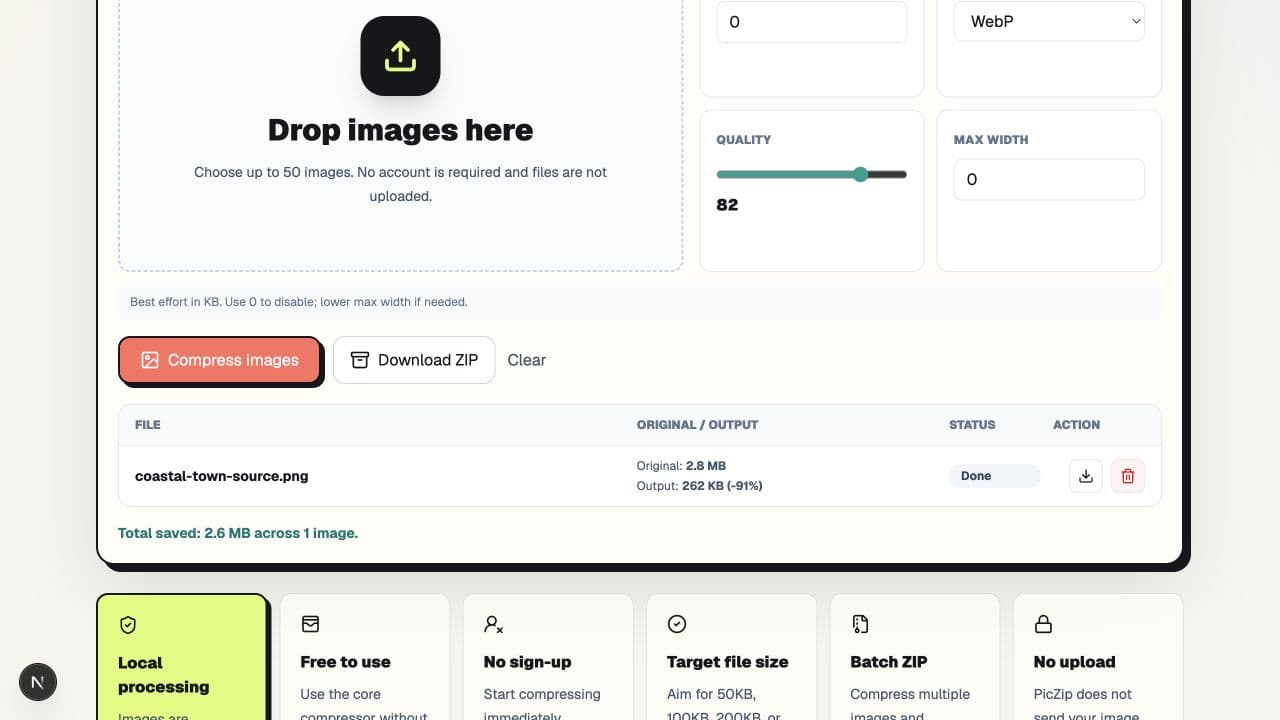
For this source, WebP delivered the smallest result. Open the WebP compressor when the destination supports WebP and delivery size matters.
How to run a fair comparison
- Start every run from the same original file.
- Keep width and height unchanged unless resizing is the question being tested.
- Use the same quality starting point for lossy formats.
- Record exact bytes, not only rounded KB labels.
- Inspect transparency, text, gradients, and edges at 100% zoom.
- Test the final file in the actual website, form, or software.
Frequently asked questions
Is WebP always smaller than JPG?
No. It was smaller in this test, but encoder settings and image content can reverse the result. The destination also has to support WebP.
Why can a compressed PNG become larger?
PNG is lossless, and different encoders can produce different results. Detailed photo-like content may be expensive to represent as PNG. Keep the original when re-encoding grows it.
Which format should I use for a transparent logo?
PNG is the conservative choice. WebP can preserve transparency too, but verify the alpha channel and software support. JPG does not support transparency.
Should I convert every website image to WebP?
No. Keep source masters in formats suited to editing, and choose delivery formats by asset. A screenshot, transparent icon, and photograph do not have identical needs.
The decision in one sentence
Use JPG for compatible photos, PNG for lossless edges or transparency, and WebP for small modern delivery—then verify with your own image because content determines the result. You can run all three versions in the PicZip compressor without uploading the selected file.